Signature Font Library
Signature fonts: 51+ free cursive & handwriting styles
Type your name once, then click any font below — or start from one of our curated templates — and it's applied to the generator instantly. Preview every style, then download your signature as a transparent PNG or SVG.
Generate your signature
Type your name, then pick a font below — or use the dropdown here. Adjust the size and ink color, then download.
Start from a curated style
Not sure where to start? These 21 styles are grouped by personality — elegant, classic, bold, casual, and realistic pen looks. Click one to apply it to your signature.
Browse all 51 fonts
The complete library — type your name above to preview it in every font, then click the one you like.
Signature font examples: all 51 fonts on one name
Every font in the library written in the same name, so the differences are the typeface rather than the spelling. This is the same library as the gallery above, shown as static specimens — the gallery there is where you type your own name and click a font to apply it to the generator.
Elegant 17
-

Great Vibes -

Sacramento -

Allura -

Alex Brush -

Parisienne -

Italianno -

Cookie -

Rouge Script -

Monsieur La Doulaise -

Norican -

Ms Madi -

Qwigley -

Tangerine -

Ruthie -

La Belle Aurore -

Herr Von Muellerhoff -

Euphoria Script
Casual 22
-

Pacifico -

Dancing Script -

Satisfy -

Yellowtail -

Caveat -

Shadows Into Light -
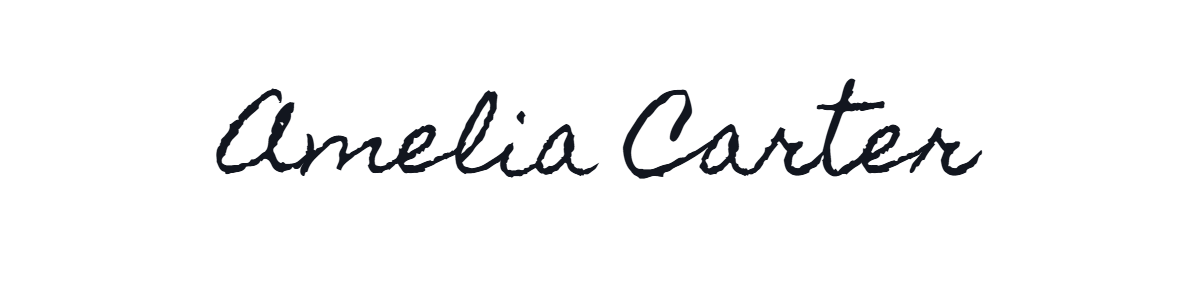
Homemade Apple -

Indie Flower -

Cedarville Cursive -

Calligraffitti -

Bad Script -

Kalam -

Patrick Hand -

Gochi Hand -

Handlee -

Reenie Beanie -

Sriracha -

Comforter -

Estonia -

Mea Culpa -

Waterfall -

Nanum Pen Script
Bold 8
-

Kaushan Script -

Courgette -

Amatic SC -

Permanent Marker -

Lobster -

Playball -

Merienda -
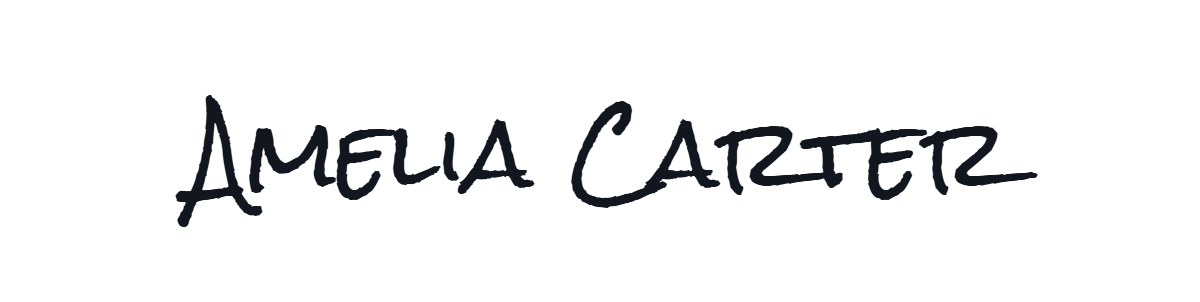
Rock Salt
Classic 4
-

Marck Script -
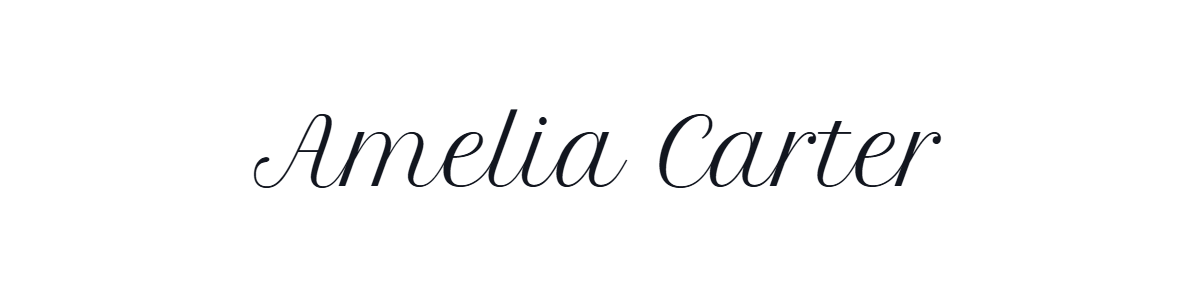
Petit Formal Script -

League Script -

The Nautigal
FAQ
Signature Fonts – 50+ Free Cursive Fonts
How many signature fonts are available?
There are over 50 handwriting and script fonts, grouped into elegant, casual, bold and classic categories. You can type your own name and preview it in every one before deciding.
Which signature font looks most like real handwriting?
The casual and handwritten faces tend to look most natural, particularly when you reduce the letter spacing and add a slight rotation. Fonts with visible stroke variation and uneven letterforms read as more handwritten than highly formal calligraphy, which can look printed.
What is the difference between a signature font and a regular script font?
A signature font is designed to hold up at signature size, with connected letterforms and a natural slant, so a name reads as a written mark rather than a typed word. Many decorative script fonts fall apart at small sizes or when the name is short.
Can I use these fonts on commercial documents?
Yes. All the fonts are open-source Google Fonts, so they can be used on client contracts, invoices, letterheads and any other commercial document without licensing concerns.
Can I preview my name in each font?
Yes. Type your name once and the preview updates across the whole font list, so you can compare them against your actual name rather than a sample word. Signatures vary a lot depending on how long a name is and which letters it contains.
How do I turn a font I like into a usable signature?
Once you have picked a font, open the signature generator, type your name in that font, adjust the size, spacing and rotation, then download a transparent PNG. That file can then be placed on any document.
How to choose a signature font that looks professional
The font you pick for your signature says a lot about how your signature will be perceived on contracts, emails, and official forms. A well-chosen signature font should be legible, look natural, and match the tone of your documents — an elegant script for formal agreements, a clean handwritten style for everyday use, or a bold marker look for a confident personal brand.
Cursive vs. handwriting vs. calligraphy fonts
Cursive fonts connect every letter, which is why they look closest to a real pen-written signature — great for business documents and email footers. Handwriting fonts imitate casual penmanship and feel more personal, while calligraphy fonts add dramatic thick-thin strokes for an ornamental, artistic look. Most professional signatures use a cursive style, but the right choice depends on how formal your documents are.
Best signature fonts for email signatures
Email signatures render at small sizes, so pick a font that stays legible at 14-20px rather than an overly ornate script. Fonts like Great Vibes, Pacifico, and Satisfy (all included here) are popular choices for a polished look in Gmail and Outlook footers. Pair your handwritten name with clean body text using our free email signature maker for a professional result.
How to use a signature font
Type your name above, preview it in every font, and click the style you like to apply it to the generator. Adjust the size, ink color, and a slight rotation so it looks hand-written rather than typed, then download it as a transparent PNG or SVG. From there you can sign PDF documents, add it to Google Docs or Word, or drop it into your email signature. For curated recommendations, see our guide to the 15 best signature fonts for a professional look.
Are signature fonts free to use?
Every font in this library is free for personal and commercial use, and your generated signature is yours to keep — download as many as you like with no account and no watermark.